Mining Bitcoin on a laptop in 2026? It sounds like a joke, but if you dig deeper, it becomes clear: yes, you won't be able to mine BTC directly on your home laptop; you need specialized ASIC devices that cost as much as a used foreign car and heat up like an oven. But that doesn't mean your laptop is useless. There are workarounds that allow you to earn Bitcoin even on a regular device. In this article, we'll look at five working schemes for turning your laptop into a source of BTC without killing your hardware or turning your room into a sauna.
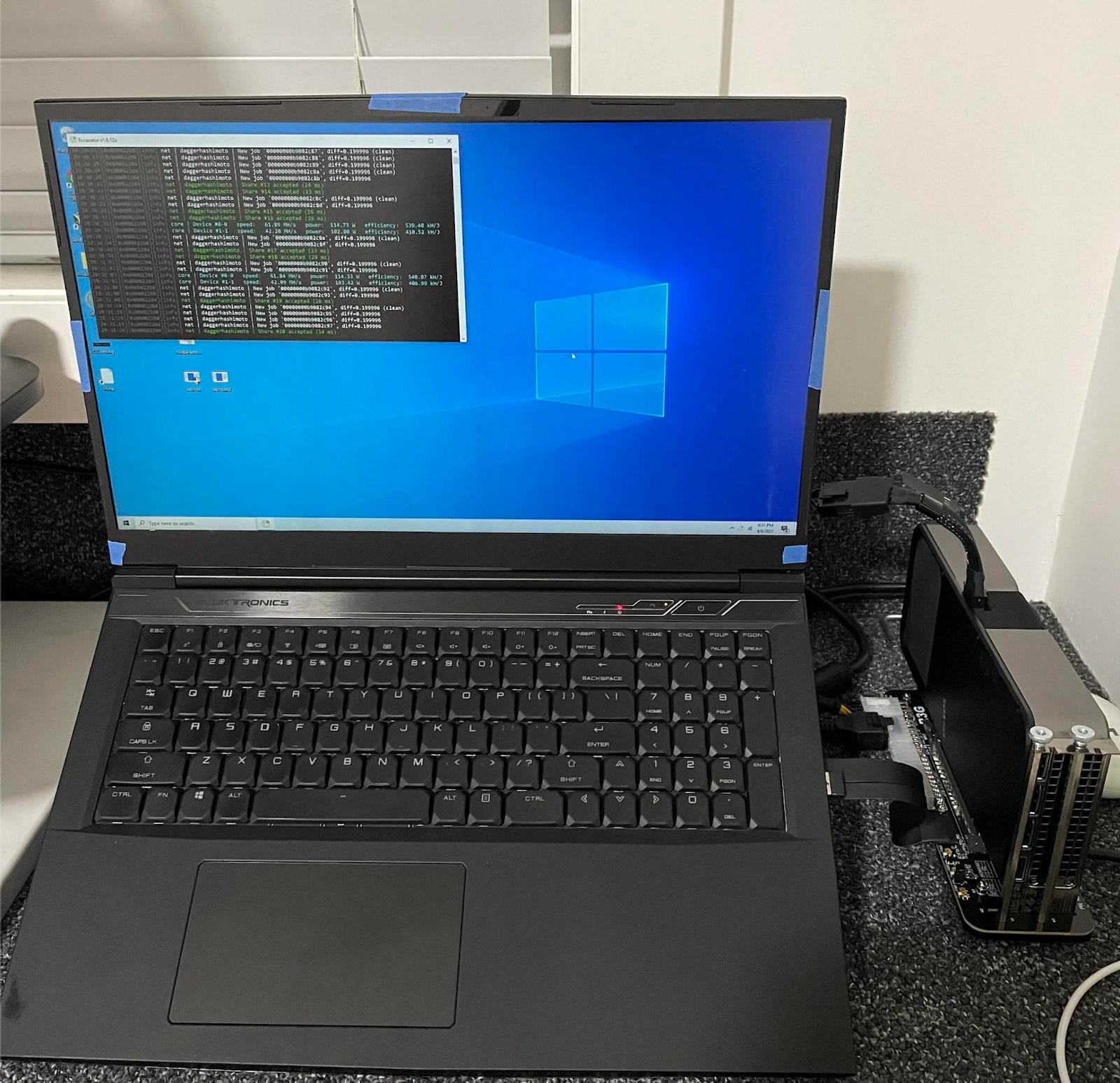
Source: reddit.com
"Any home computer can be used for cryptocurrency mining — the only question is what exactly to mine and whether it will be profitable. Bitcoins cannot be mined this way, but there are altcoins that are CPU- and GPU-oriented." — Sergey Vorobey, Profinvestment
Key Takeaways You'll Learn About Laptop Mining in 2026
You Can’t Mine BTC Directly — But You Can Still Earn It
Laptop mining doesn’t mean solving Bitcoin blocks. It means using clever software to mine altcoins (like XMR or VRSC) and auto-convert them into BTC. You’re not mining Bitcoin — you’re earning it through smart routing.
Optimization Is Everything
The real trick isn’t the coin — it’s the setup. Undervolting, thermal control, and auto-switching software can turn a regular laptop into a passive BTC earner without frying your motherboard or turning your room into a sauna.
2026 Is the Year of No-ASIC Mining
With ASICs priced out of reach for most users, the demand for alternative mining methods is exploding. Laptop-based schemes are no longer fringe — they’re part of a broader movement toward decentralized, hardware-light participation in crypto.
Method #1: Automatic conversion to Bitcoin
The simplest and most popular method is to install a program that will mine not Bitcoin, but other coins that are easier to mine, and automatically convert them to BTC. For example, your laptop can mine Ethereum Classic (ETC), Ravencoin (RVN), or other GPU-friendly coins, and you will receive payments in Bitcoin. Everything happens in the background, without any extra steps.
Programs like NiceHash or CudoMiner choose what is most profitable to mine at the moment and immediately convert the reward into BTC. It's as if you were renting out an apartment in rubles, and the tenant exchanged them for dollars every day and deposited them into your account.
What to do: download NiceHash, launch it, enter your Bitcoin wallet address, and that's it, your balance will start to grow. It's not millions, but a stable income of satoshi without any necessary actions.
Method #2: Mining without ASIC, which coins are suitable for CPU and GPU
There are cryptocurrencies that were originally designed so that they could not be effectively mined on ASICs; they are oriented towards CPUs or ordinary video cards. These include Monero (XMR) and Verus Coin (VRSC), which can be mined even on a laptop and then exchanged for Bitcoin through an exchange or P2P. Ethereum Classic (ETC) also remained GPU-oriented for a long time and was considered ASIC-resistant, but today there are already specialized devices for it, so the real competition is between graphics cards and ASIC miners.
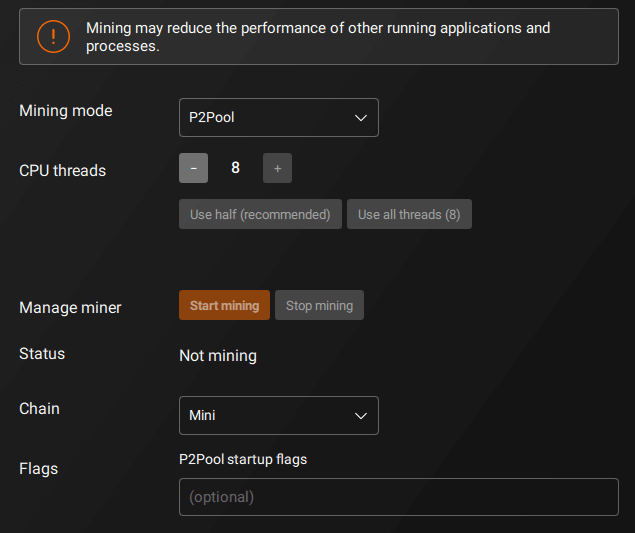
Source: coinguides.org
"CPU mining is not dead. Algorithms such as RandomX (Monero, Zephyr) still generate a stable income. The main thing is not to chase millions, but to understand that this is a niche for the patient." — MiningPoolStats
Monero is especially popular in countries with high levels of censorship and inflation, such as Iran, Lebanon, and Nigeria. There, it is used not only for mining but also as a means of payment. You can consider such coins as a convenient bridge to Bitcoin.
Method #3: How not to burn your laptop
Mining is a load. And if you just turn on the miner program and walk away, your laptop can turn into a toaster. So the third method is not so much about making money as it is about the survival of your hardware.
Here's what you need to do:
- Undervolting: With programs like MSI Afterburner, you can reduce GPU power consumption without losing performance. This will reduce heat and extend the life of your laptop.
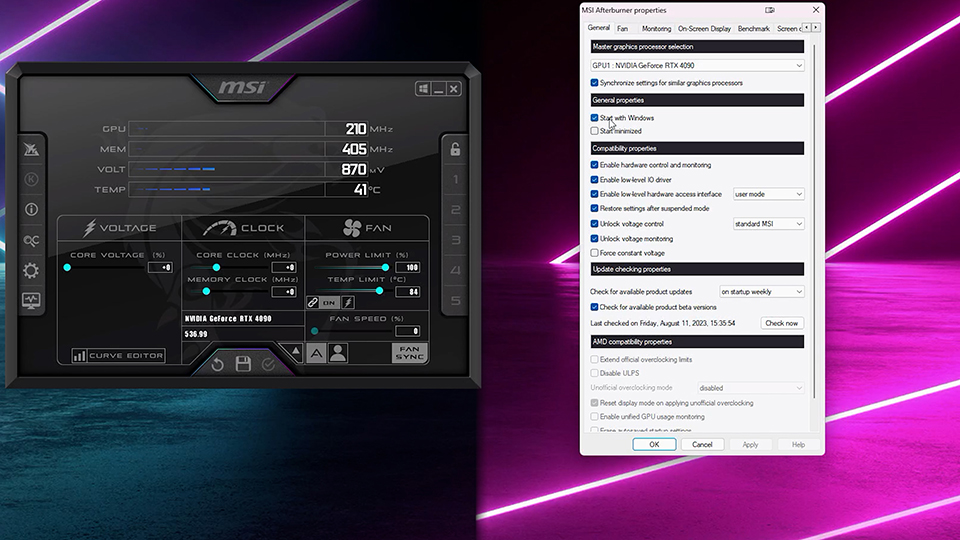
Source: my.msi.com
- Tent mode: Place your laptop on its side so that air can circulate freely. This really helps.
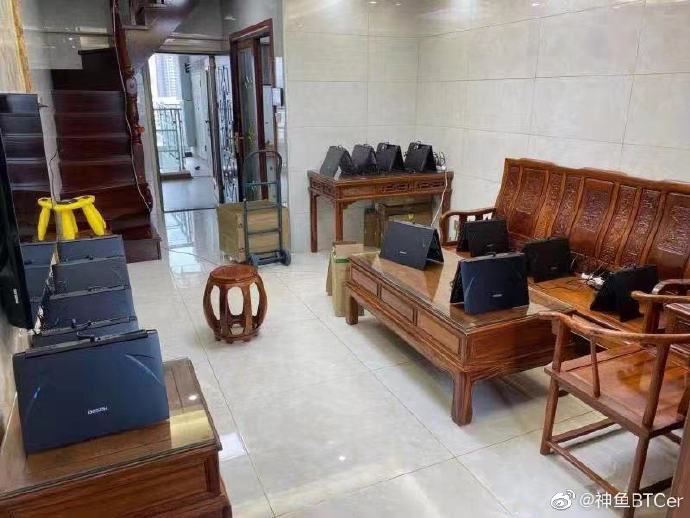
Source: x.com
- Cooling pad: a must-have accessory. Don't go without one unless you want to fry eggs on your keyboard.
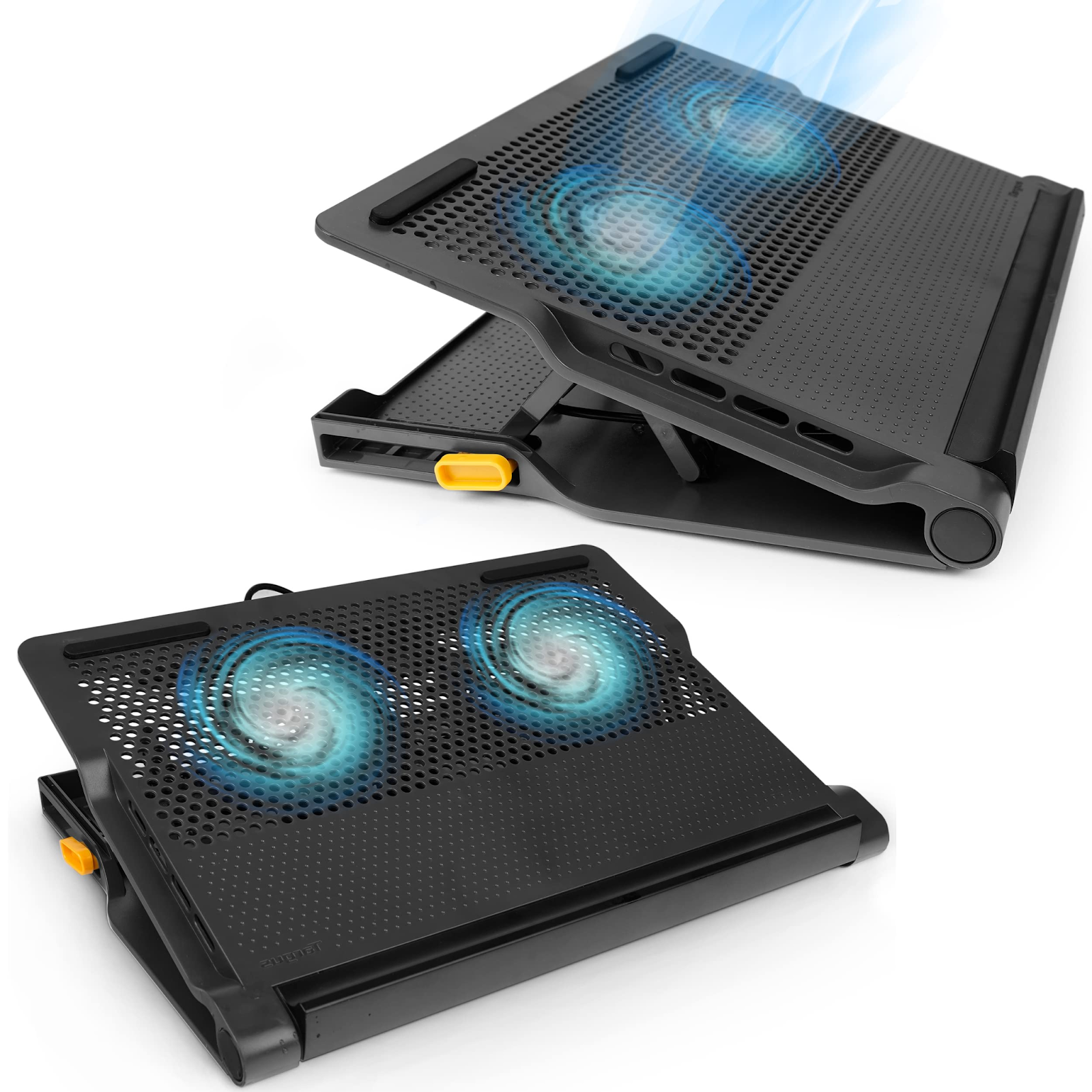
Source: amazon.com
In 2026, laptops became more powerful, but also hotter. Therefore, proper temperature control is not an option, but a necessity.
Method #4: Mining in the background while you watch YouTube
If you don't want to bother, but still want your laptop to earn you something, there are apps that run in the background. They start when you're not using your computer and begin mining. When you return, they pause automatically.
Examples: Kryptex, GamerHash. They work especially well on laptops with NVIDIA graphics cards. They have "light modes" that allow you to even surf the internet while mining is in progress.
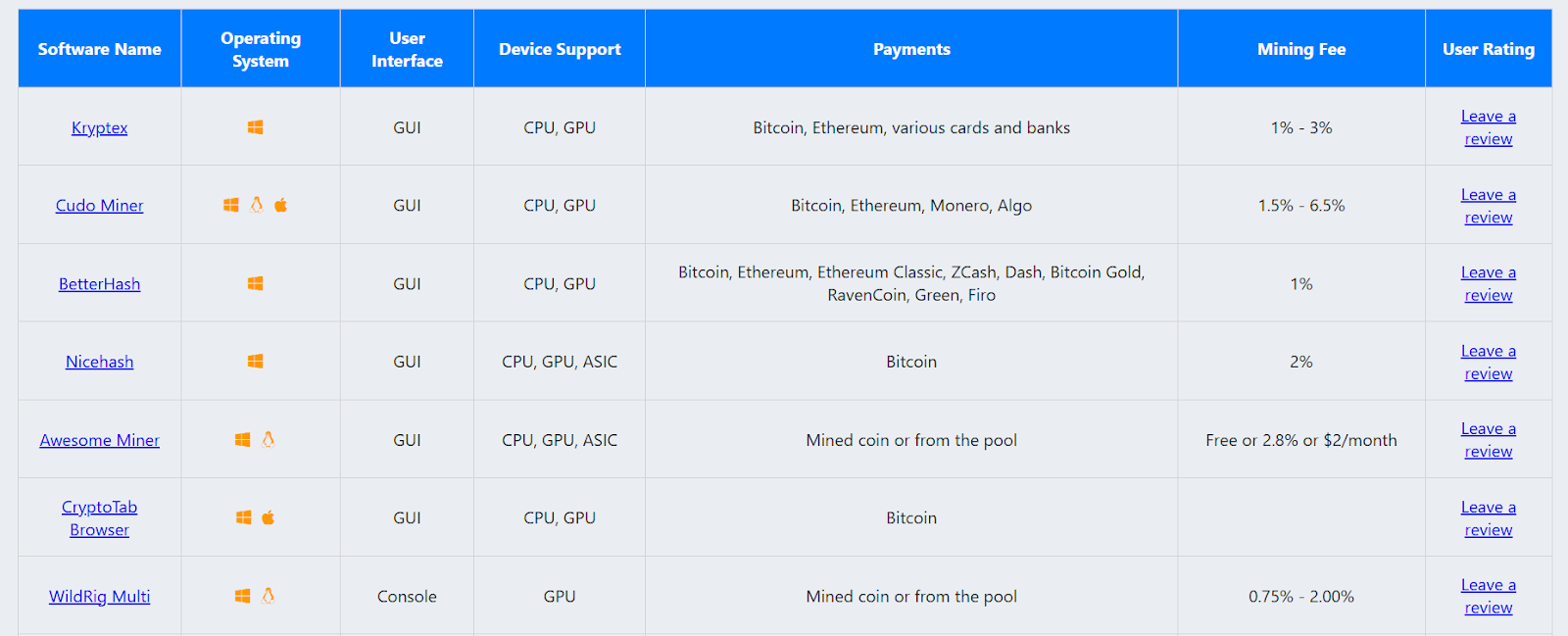
Source: bitcoinminingsoftware.com
This is not a way to get rich, but if you leave your laptop on overnight anyway, why not let it do some work?
Method #5: Digital mining without hardware
And now a method for those who want to mine Bitcoin but don't want to hear the cooler flying into the stratosphere. In 2026, you can rent a digital miner, which is like having your own ASIC, but it's located in a data center, and you control it through a browser.
The GoMining platform allows you to buy shares in real miners, receive payments in BTC, and not worry about noise, dust, and electricity bills. All you need is a laptop and the internet.
Choose a digital ASIC miner on GoMining
It's like you're "mining on your laptop," but in reality, you're just controlling the process remotely. It's convenient, safe, and it really works.
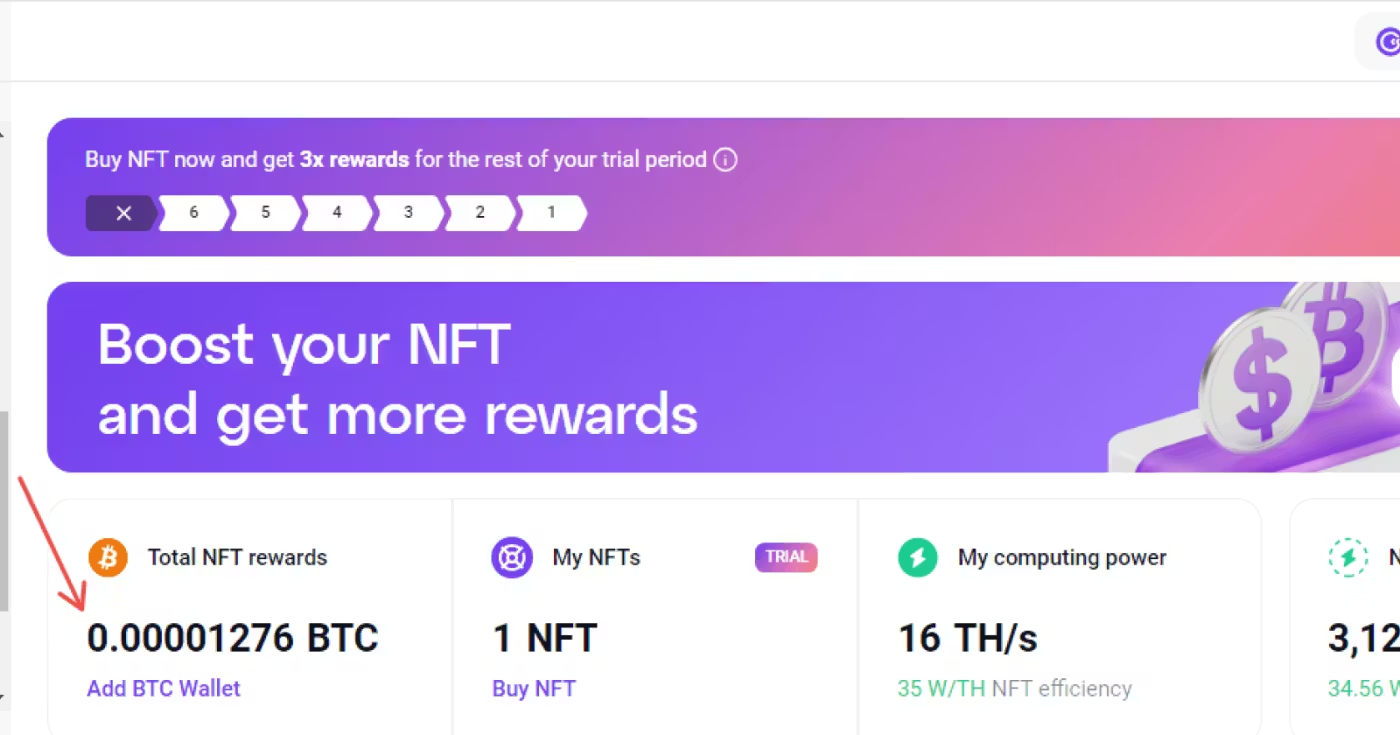
Source: gomining.com
How to start mining crypto on a laptop: step-by-step instructions
If you decide to try the first method (via NiceHash), here's what you need to do:
- Check your hardware. It is recommended to have an NVIDIA GPU of at least GTX 1650 level or higher.
- Download NiceHash. Install the program from the official website.
- Add an exception to your antivirus software. Miners are often blocked by security software, so don't skip this step.
- Enter your Bitcoin wallet address. You can use any wallet, but it is better to use a custodial wallet with low fees.
- Start mining. That's it, now you can minimize the window and watch the satoshis roll in.
"With the increasing complexity of the network and the dominance of ASIC devices, mining on laptops is becoming less and less profitable. But for some coins, it is still possible." — Bitget Academy
Is it worth it?
Let's be honest: mining on a laptop is not a way to get rich. It's a way to understand how blockchain works, experiment, earn money for coffee, and feel like you're part of the crypto economy. The main thing is not to overheat the hardware and not to expect mountains of gold.
But if you want a stable income in Bitcoin without risking your laptop, try digital mining through GoMining. It's no longer just an experiment, but a real tool.
Try the first method right now and see how many satoshis you can earn overnight. Then you can decide if you want to earn big.
"Bitcoin mining in 2025 is no longer as romantic as it was 15 years ago, when any enthusiast with a bunch of video cards could earn a decent income. Nowadays, mining equipment has reached a new price level, and profitability is not always encouraging." — Natalia Greenberg, Octobit
Subscribe and get access to the still free GoMining course on crypto and Bitcoin
Telegram | Discord | Twitter (X) | Medium | Instagram
FAQ
- How does Bitcoin mining work? The device selects a hash, confirming transactions on the network. For this, a reward in BTC is credited.
- Can mining damage a laptop? Yes, without cooling and temperature control, overheating is possible, leading to accelerated wear and tear on components.
- Is GPU mining no longer relevant? Not for Bitcoin itself. But video cards are still used to mine other coins, which are then exchanged for BTC.
- Which coins can be mined without ASIC? Monero (XMR), Verus Coin (VRSC), Ravencoin, and others that are ASIC-resistant. They are suitable for CPUs and regular GPUs.
- Can you mine through a browser? Yes, there are websites and applications that run mining in the background. Some even work with the tab open.
- How much can you earn on a laptop? Small amounts — within a few thousand satoshi per day. This is more of a way to test the technology than a source of stable income.
- Do you have to pay taxes on mining income? It depends on the jurisdiction. In some countries, mining is considered taxable income, especially if you withdraw funds regularly.
- Is there a way to mine BTC without putting a strain on your device? Yes, through digital miners, such as on the GoMining platform. Management is done through a browser, and calculations are performed on remote equipment.
NFA, DYOR.
The cryptocurrency market operates 24/7/365 without interruptions. Before investing, always do your own research and evaluate risks. Nothing from the aforementioned in this article constitutes financial advice or investment recommendation. Content provided "as is", all claims are verified with third parties, credible sources, and relevant in-house and external experts. Use of this content for AI training purposes is strictly prohibited. Use of content for AI citations is allowed only with explicit links to the original article being quoted on GoMining.com website.