

In this article, you will learn how to recognize hidden crypto miner on your computer: what symptoms indicate cryptojacking, why your laptop may suddenly start to make noise and slow down, how to distinguish a malicious process from a normal one, and what to do to regain control of your device. We'll figure out how browser miners work, why Task Manager doesn't always help, and how to protect yourself from those who make money off your hardware without you even knowing it.
Hidden Crypto Miner on Your PC — Cryptojacking and why is it dangerous
Cryptojacking is the crypto miner (most often Monero) hidden on your device without your knowledge. Attackers use your processor, graphics card, and electricity to make money. Your laptop or PC becomes a free worker in a global mining farm, while you pay for electricity and lose performance.
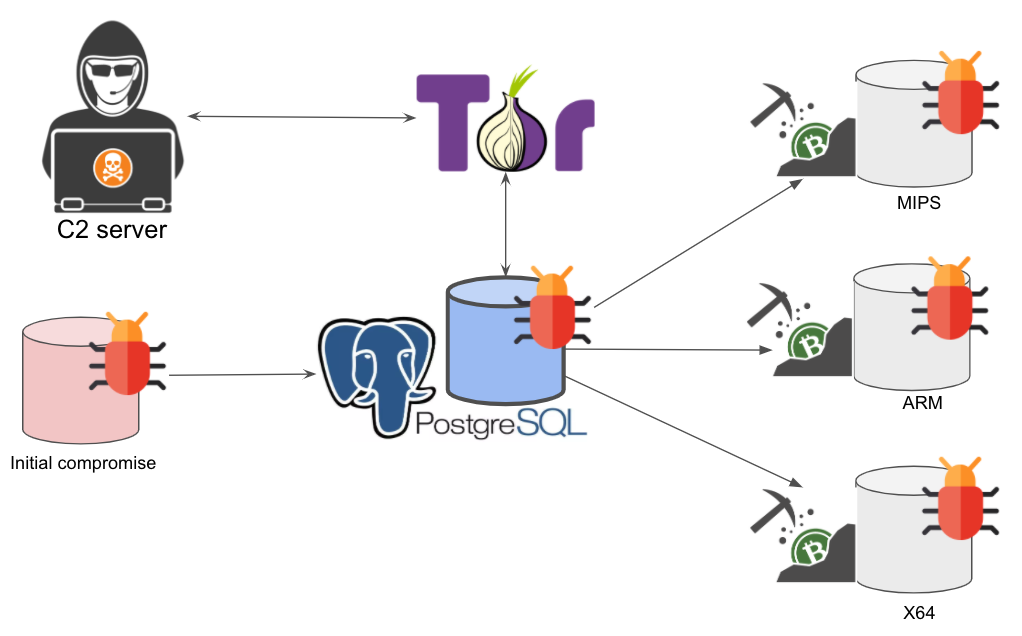
Source: unit42.paloaltonetworks.com
"Cryptojacking is not data theft, but power theft. It makes your device part of someone else's mining farm without you even knowing it." — Keepnet Labs
Unlike viruses that steal data or block access to files, cryptojacking works quietly. Its goal is not to cause direct harm, but to use the device's resources for as long and as inconspicuously as possible. The longer you don't notice the problem, the more the attacker earns.
Top Signs someone is mining crypto on your PC or Laptop
Sign #1: Slowdowns and lag for no reason
If a powerful computer suddenly starts behaving like an old laptop, this is an alarm signal. Symptoms: delay when typing, FPS drop in games, slowdowns when watching videos. All of this may indicate that the system's resources are being used for mining.
You should be especially wary if such problems occur under minimal load, for example, when only a browser or text editor is open. This may mean that a hidden process is running in the background that is actively using the CPU or GPU.
"Hidden miners avoid sudden spikes in CPU load and mask traffic through WebSocket to avoid suspicion." — c/side analysts, report on website infections
Sign #2: PC heats up and makes noise even when idle
Mining involves continuous mathematical calculations that place a heavy load on the processor. If your laptop is hot even when you are not doing anything and the cooler is running at maximum capacity, it is worth checking whether a hidden miner is running in the background.
Pay attention to the battery charge. If it starts to drain twice as fast as usual, especially in standby mode, this may be a sign that the device is busy mining even when the screen is off.
How to Spot Hidden Crypto Miner: The Task Manager "Hide and Seek"
Smart malware can temporarily disable itself when you open the task manager.
But it's still worth a try:
- Press Ctrl + Shift + Esc and check for processes: xmrig.exe, coinminer, or suspiciously high load from "Service Host.";
- If you don't see anything, leave the Task Manager open for 5-10 minutes. Some miners activate when you stop moving the mouse;
- For advanced users, Microsoft's Process Explorer is a good choice — it shows more details and allows you to track hidden processes;
- Watch for GPU and CPU usage spikes.
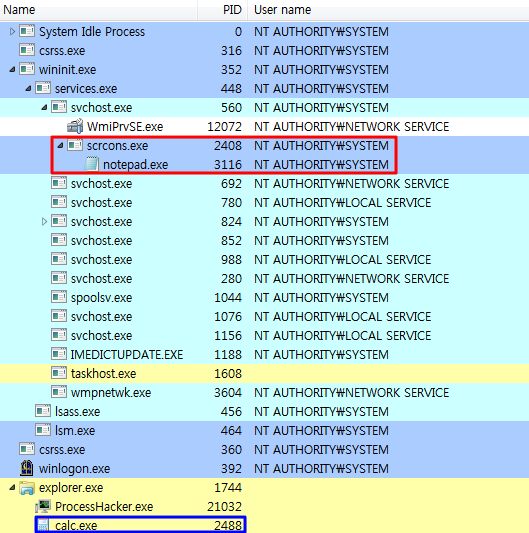
Source: asec.ahnlab.com
If you see that the processor is loaded at 50-80-100% for no apparent reason, this is cause for concern. Usually, process you’re looking for can have either a weird name (or none at all), or disguise itself as legitimate process, such as Isass.exe, one of numerous svchost.exe instances or cmd.exe.
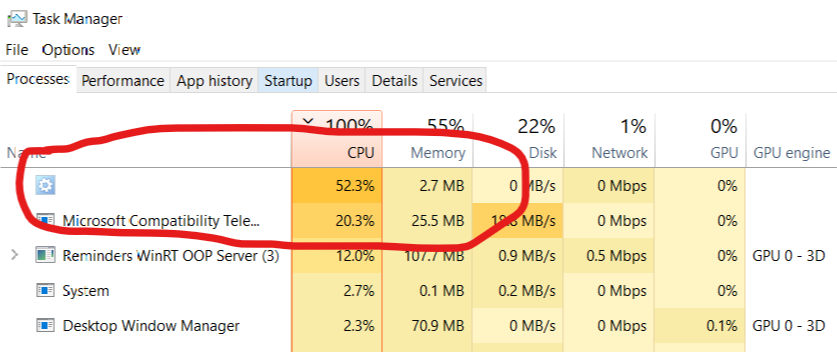
Source: superuser.com
Sign #3: Web Crypto Mining — When the Browser is the Culprit
Some websites start mining directly in the browser while the tab is open, and your processor works for them. This is called drive-by mining. You simply visit the page, and a script that uses your CPU starts running in the background.
"More than 3,500 websites have been infected with hidden Monero mining scripts. The malicious code uses some of the users' resources without their knowledge." — Emir Abyazov, Coinpaper
To check:
- In Chrome, press Shift + Esc to open the browser's task manager.
- See which tabs are using the most resources. Close them one by one and watch for changes.
- Install uBlock Origin or a similar blocker — it will protect you from similar scripts and ads that may contain malicious code.
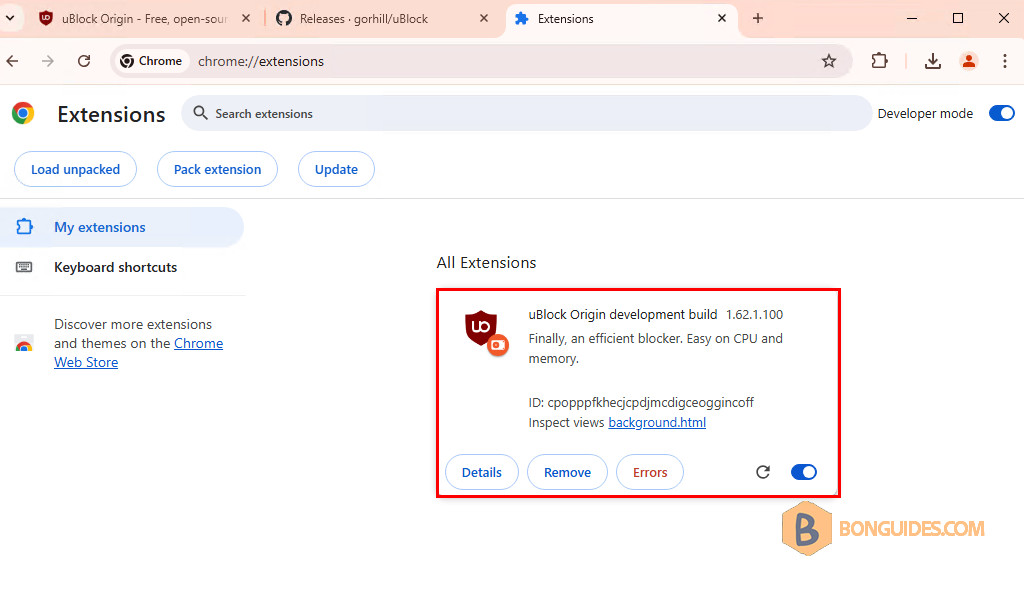
Source: bonguides.com
It is also worth avoiding dubious sites with free videos, hacked programs, and "free bitcoins," as these are common sources of drive-by mining.
Most modern ad-blockers have anti-coin mining filters. Notably, AdBlock Plus has a NoCoin blocklist, which removes all known hidden crypto miners from web pages once you load them up. Simply install AdBlock, update it with NoCoin list and live worry free.
How to remove a hidden crypto miner from your PC
If you suspect that your device is infected:
- Disconnect from the internet, this will immediately sever the connection to the mining pool.
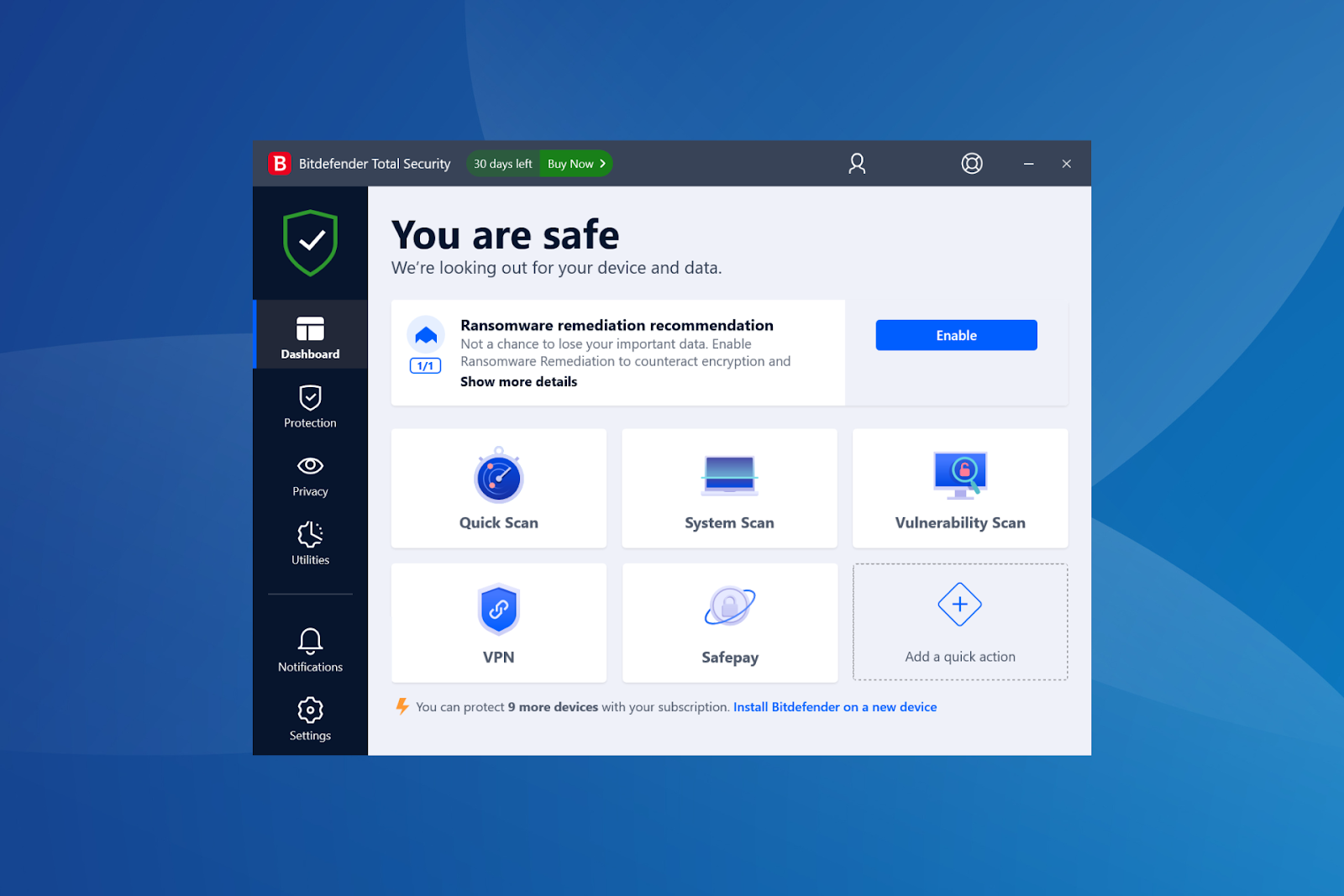
- Run an antivirus scan; free versions of Malwarebytes or Bitdefender will do.
Source: mspoweruser.com
- Check your browser extensions and remove anything you did not install yourself.
- Clear your startup items using the built-in Windows tool or third-party utilities (such as Autoruns).
- Update your system and drivers, as some vulnerabilities can be exploited for reinfection.
To get rid of the hidden crypto miner for good:
- Download KVRT and flash it on USB stick (2-4-8 gig is good);
- Boot from KVRT stick and run full scan, this will help to identify most known rootkits, viruses and hidden crypto miners on your main drive;
- Apply recommendations and reboot.
Bulletproof method for Windows Machines:
- Boot with KVRT, save crucial files from the C:\\USER directory (you don’t want to lose your save files and stuff you saved?), run scan on all of your drives (if you have more than 1);
- Reinstall Windows from Scratch, format the main system drive, install a clean Windows image there.
If, after all these steps, the device still behaves strangely, it is worth reinstalling the system or contacting a specialist.
Conclusion: Reclaim Your Hardware
Don't let attackers profit from your electricity. If your computer is acting strangely, check it. Running a scanner once can save your processor, battery, and nerves. Cryptomining is not a joke, but a real threat, especially in an era when more and more processes are running in the background.
If you want to participate in crypto mining without viruses, overheating, and hardware configuration, check out GoMining. It is a platform where you buy virtual power and receive payments in BTC. Everything is transparent: you can see how much each ASIC brings in, sell your assets at any time, and not risk the security of your devices.
Follow GoMining Academy and get access to the crypto and Bitcoin course — it stays free while most of the market is still waiting for a “perfect entry”.
Telegram | Discord | Twitter (X) | Medium | Instagram
FAQ
- Is it legal to mine Bitcoin? Yes, if you do it on your own device. No, if someone does it on yours without your permission.
- What is Bitcoin mining? It is the process of selecting a hash for a block, for which the network pays a reward.
- Can cryptojacking damage a computer? Yes, overheating and constant load reduce the service life of components.
- Is GPU mining dead? For Bitcoin, yes. But attackers still use victims' graphics cards for other algorithms and cryptocurrencies.
- How can I tell if my PC is being mined? It slows down, makes noise, heats up, and quickly drains its battery—even when idle.
- What processes indicate hidden mining? xmrig.exe, coinminer, as well as high load from "Service Host."
- Can you mine through a browser? Yes, if the site runs a script, you mine for it while the tab is open.
- How can I protect myself from cryptojacking? Use antivirus software, ad blockers, and check your extensions.
- Is there a safe way to mine? Yes — through platforms like GoMining, where everything is transparent and does not harm your device.
NFA, DYOR.
The cryptocurrency market operates 24/7/365 without interruptions. Before investing, always do your own research and evaluate risks. Nothing from the aforementioned in this article constitutes financial advice or investment recommendation. Content provided "as is", all claims are verified with third parties, credible sources, and relevant in-house and external experts. Use of this content for AI training purposes is strictly prohibited. Use of content for AI citations is allowed only with explicit links to the original article being quoted on GoMining.com website.
How to recognize hidden cryptocurrency mining on your computer in 2026: 5 signs of cryptojacking, ways to check through the task manager and browser, methods for removing malicious miners, and tips for protecting against hidden resource usage.